
Home Products Material Requirement Management
Material Requirement ManagementMRM · REQUEST TO SHOP FLOOR

A material request that finds its own way to the shop floor.

Someone requests a material. The manager approves it. From there the system decides — issue it from stock, or raise a purchase requisition — and does it inside Dynamics 365 F&O without anyone re-keying a thing.

See the flow
2 pathsSTOCK OR PROCUREMENT
Auto-routedNO MANUAL HANDOFF
D365 nativeJOURNAL OR REQUISITION
No more WhatsApp requests
Every request traceable
Bearing 6204-2RS · 12 NOSREQ-2026-04418 · PLANT A · SHOP FLOOR 2
SUBMITTED
RequestRAISED
ApprovalMANAGER
IntegrationD365 F&O
Item number lookupINVENTORY MANAGEMENT
CHECKING…
Movement Journal ITEM EXISTS · STORES POSTS & ISSUES
Purchase Requisition NOT IN STOCK · PR → PO → RECEIPT
Material issued to shop floorSTORES TEAM · CLOSED
ROUTE
D365 RECORD
TOUCHPOINTS0
RequestRaised in the portal, not in someone's inbox
ApproveReporting manager decides, on the record
RouteD365 checks stock and picks the path
IssueMaterial reaches the shop floor, tracked
The Decision

One question decides everything that follows.

Does this item already exist in Dynamics 365 with a valid item number? The system asks, then commits to a path — no human triage in between.

STEP 01 · REQUESTER Material request STEP 02 · MANAGER Approved STEP 03 · D365 F&O Item number exists? YES · IN STOCK Movement Journal INVENTORY MANAGEMENT · STORES POSTS NO · MUST PROCURE Purchase Requisition PROCUREMENT & SOURCING · PR → PO STEP 05 Issued SHOP FLOOR
Path A · InventoryITEM NUMBER EXISTS IN D365

The fast route. Nothing needs buying — the material is already sitting in a warehouse, so the system just moves it.

  • 1
    Movement Journal created automatically in Inventory Management
  • 2
    Stores team reviews and posts the journal
  • 3
    Material issued to the shop floor and the request closes
Path B · ProcurementITEM NOT FOUND IN D365

The longer route, but it still starts itself. Procurement picks up a requisition that already has everything they need on it.

  • 1
    Purchase Requisition created in Procurement & Sourcing
  • 2
    Procurement reviews and creates the item number if needed
  • 3
    Requisition converted to a Purchase Order and material received
  • 4
    Stores issues it through the standard inventory process
Who Does What

Four roles, and nobody waiting on an email.

Each lane is a team. Each column is a step. The handoffs happen in the system, so nothing sits with a person who doesn't know it's theirs.

ROLE / TEAM
01 · SUBMIT
02 · APPROVE
03 · INTEGRATE
04 · FULFIL
05 · ISSUE
Requester
Raise requestMRM PORTAL
Reporting Manager
Approve or rejectDECISION LOGGED
MRM → D365 F&O
Check item numberROUTE DECIDED
Procurement Team
PR → PO → receiptIF NOT IN STOCK
Stores Team
Post Movement JournalIF IN STOCK
Issue to shop floorREQUEST CLOSED

STEP 04 SPLITS — ONLY ONE OF THE TWO LANES RUNS FOR ANY GIVEN REQUEST

Inside Dynamics 365

Two modules, two record types, zero re-keying.

MRM doesn't hold a shadow copy of your inventory. It writes into the modules your finance and stores teams already work in.
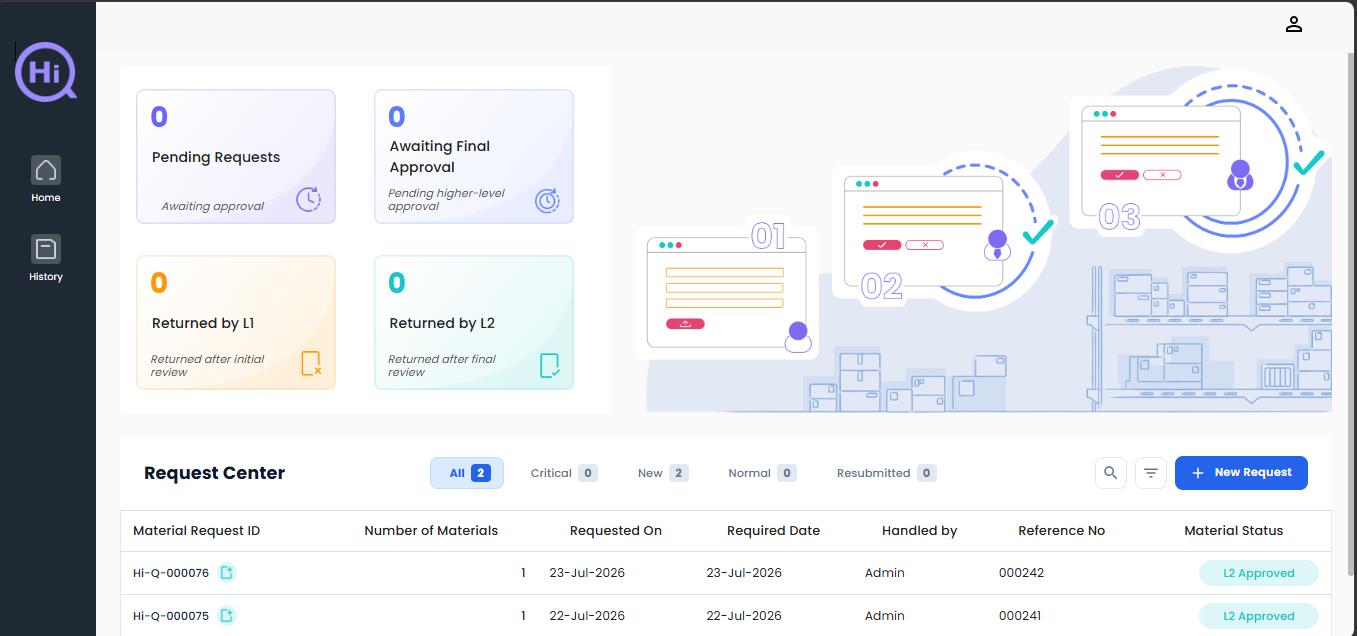
Inventory ManagementMOVEMENT JOURNAL
SCREENSHOT · DASHBOARD Inventory Management dashboard screenshot

When the item number resolves, a Movement Journal lands in Inventory Management ready for the Stores team to review and post — quantity, warehouse and cost centre already populated from the request.
REQUESTJOURNALPOSTEDISSUED
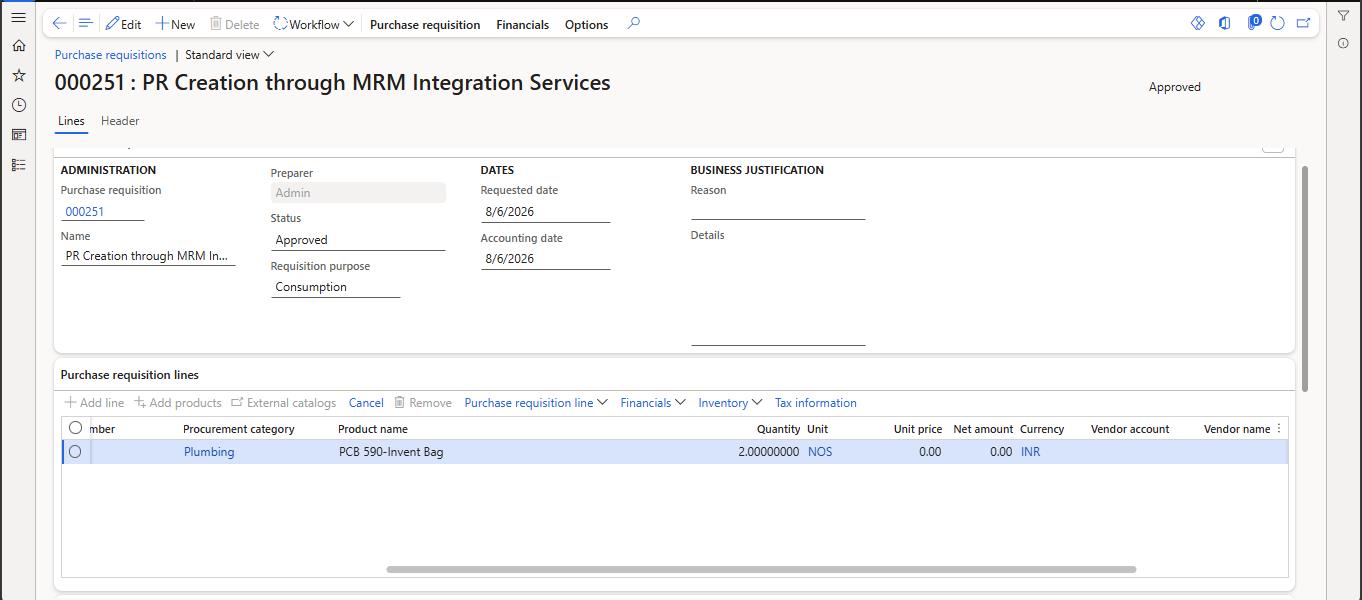
Procurement & SourcingPURCHASE REQUISITION
SCREENSHOT · PROCUREMENT REQUISITION Procurement screenshot

When it doesn't resolve, a Purchase Requisition is raised instead. Procurement creates the item number if one is needed, converts it to a Purchase Order, and receives the material into inventory.

REQUESTPRPORECEIPTISSUED
1 requestRaised once, followed all the way to the shop floor
0Re-keying between the portal and Dynamics 365
AutoRouting decided on live stock, not on memory
Full trailWho asked, who approved, what was issued and when
Next Step

Show us how a material gets requested today.

Bring the WhatsApp group, the paper slip, or the email chain. We'll walk through what it looks like once the request routes itself.

See all products