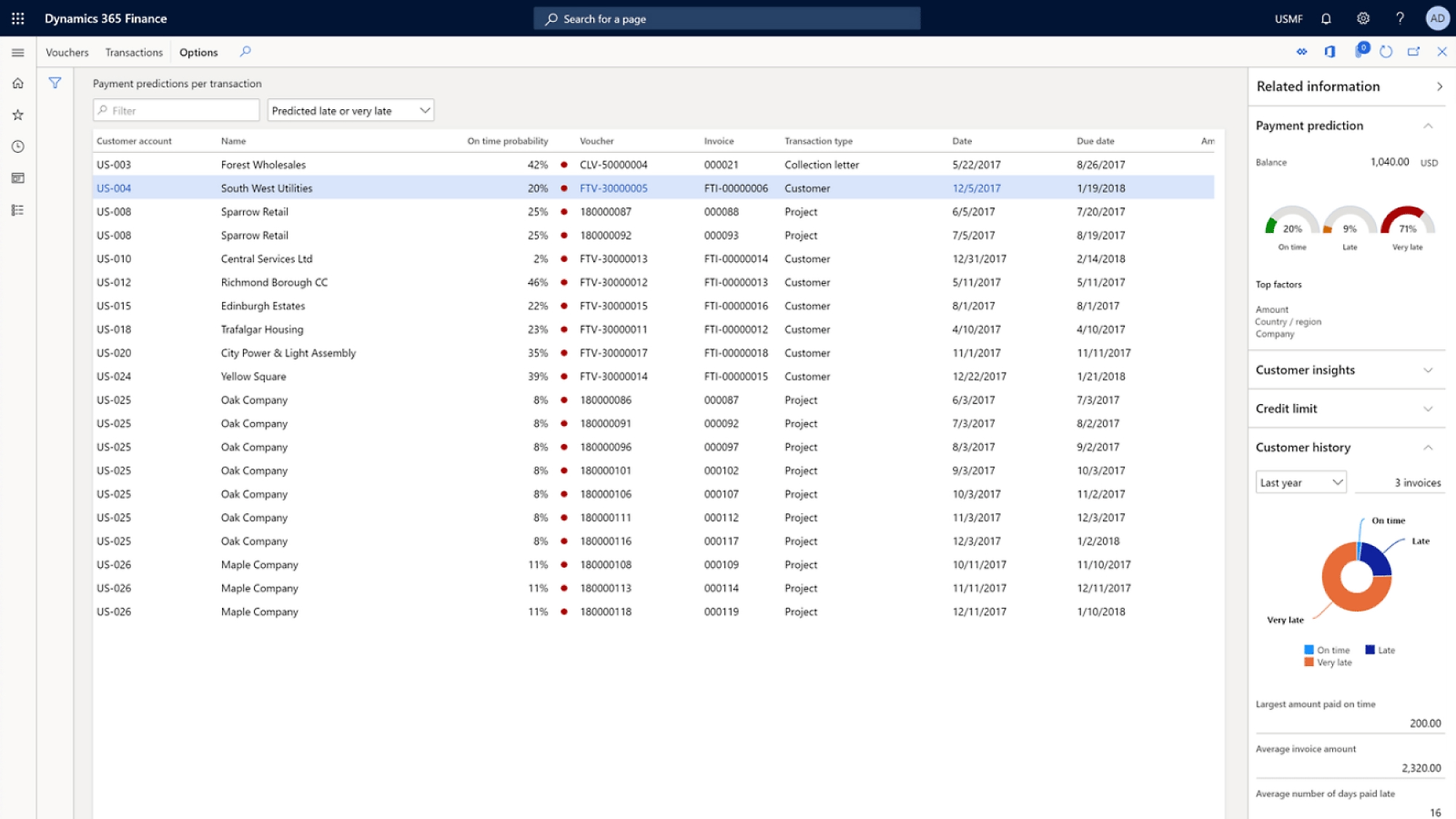
Home Microsoft Business Central
Microsoft Dynamics 365

Five systems become one business.

Business Central connects finance, sales, service, and operations in a single system built for small and mid-sized companies — live in months, not years.

3–6 monthsTYPICAL TIME TO GO LIVE
Mid-marketBUILT FOR YOUR SIZE
Microsoft 365WORKS INSIDE OUTLOOK & EXCEL
One ledger, one truth
No more re-keying
Your business systems
FRAGMENTED
Desktop accountingISOLATED
Stock spreadsheetISOLATED
Separate CRMISOLATED
Email approvalsISOLATED
Manual invoicingISOLATED
Paper job sheetsISOLATED
Dynamics 365 Business Central ONE SYSTEM · ONE DATABASE
FinanceGL POSTED
Sales & inventoryIN SYNC
Projects & serviceTRACKED
ReportingREAL TIME
SYSTEMS6
RE-ENTRY / MONTH340
CLOSE TIME12 days
FinanceLedger, banking, fixed assets
Sales & supplyQuotes to cash, live stock
ProjectsJobs, time, real costing
InsightReporting on one dataset
VIDEO · BC ROLE CENTRE
Why Business Central

For companies that outgrew their accounting package.

The point where Tally, QuickBooks or Sage plus a folder of spreadsheets stops being enough — but full enterprise ERP would be overkill.

  • Sell an item — stock drops and the ledger posts in one transaction
  • Lives inside Outlook, Excel and Teams — adoption is faster
  • Live in 3–6 months, not a multi-year programme
See what's included
Capabilities

What's actually inside Business Central.

BC covers more than most people realise. These are the areas we configure, extend, and support most often — grouped the way Microsoft documents them.

General ledgerChart of accounts, dimensions, posting groups, and period close across all companies in one tenant.
Accounts payableVendor invoicing, payment journals, three-way matching, and automated payment proposals.
Accounts receivableCustomer invoicing, reminders, credit limits, and cash application with settlement.
Cash & bank managementBank account reconciliation, payment reconciliation journals, and bank feeds via open banking.
Fixed assetsAcquisition, depreciation, and disposal with multiple depreciation books for tax versus book reporting.
BudgetingBudget entries by G/L account and period, with variance analysis against actuals in real time.
Project managementJobs with tasks, resource planning, time and material billing, and WIP recognition.
Tax & complianceVAT, GST, WHT, e-invoicing formats, and audit trail — configurable without customisation.
IntercompanyAutomated intercompany postings across multiple BC companies with reconciliation support.
SalesQuotes, orders, blanket agreements, shipping, invoicing, and returns in one flow.
PurchasingPurchase requisitions, orders, receipts, and vendor return orders with three-way matching.
Inventory managementItem tracking by lot, serial and package, multi-location stock, costing methods and cycle counting.
Warehouse managementBin management, directed put-away and pick, and mobile warehouse with barcode scanning.
ManufacturingProduction BOMs, routings, production orders, and capacity planning. Requires Premium licence.
Service managementService orders, contracts, resource allocation, and warranty tracking. Requires Premium licence.
Assembly managementAssemble-to-order and assemble-to-stock with component availability checking.
Item pricing & trade agreementsPrice lists, customer-specific discounts, campaign pricing, and tiered quantity breaks.
Shopify integrationCertified native connector — orders, stock and customers sync both ways without middleware.
Financial reportingAccount schedules and financial reports built directly from ledger data — no export needed.
Embedded Power BIRole centre dashboards powered by live BC data — finance, sales, purchasing, and inventory.
Jet reports & ExcelEdit live BC data in Excel and publish back — analysis on real data without locking the system.
Dataverse & Fabric exportBC tables surfaced in Microsoft Fabric for enterprise-scale reporting without hitting production.
Copilot in BCAI-assisted bank reconciliation, sales line suggestions, and marketing text generation — in the standard licence.
Document reportingInvoice and document layouts built on Word templates — customisable without RDLC code knowledge.
AL extensionsBusiness Central's extension model means customisations survive every Microsoft release update.
APIs & web servicesREST APIs and OData for clean integration with third-party systems, e-commerce, and portals.
Power Automate flowsTrigger downstream automation from any BC event — approvals, notifications, and data handoffs.
Power Apps & pagesLightweight front-ends on BC data for field teams, customers, and external users without full licences.
AppSource marketplaceCertified extensions for industry-specific and country-specific requirements — usually faster than building.
Test automationAL test codeunits and automated regression so each release wave is validated before users see it.
Licensing

Three licence types. Most people need one.

Getting the mix right is the easiest way to cut ongoing cost.

6,695 /month ₹79,860 billed annually

Essentials

Full business management — what the majority of users get.

  • Finance, sales, purchasing, inventory
  • Projects and warehousing
  • Copilot included
Choose if you don't manufacture or run service contracts.
9,150 /month ₹109,800 billed annually

Premium

Everything in Essentials, plus the two modules manufacturers need.

  • Manufacturing — BOMs, routings
  • Service — contracts, dispatch
  • Capacity planning
Note it's an all-or-nothing tenant decision — you can't mix tiers.
665 /month ₹7,980 billed annually

Team Members

Much cheaper, for people who read and approve but don't run processes.

  • Read data across the system
  • Approve workflows
  • Update timesheets
Choose for managers and execs who only look things up.
Honest Comparison

Business Central or Finance & Operations?

We implement both, so we've no reason to push you either way. Tap to compare.
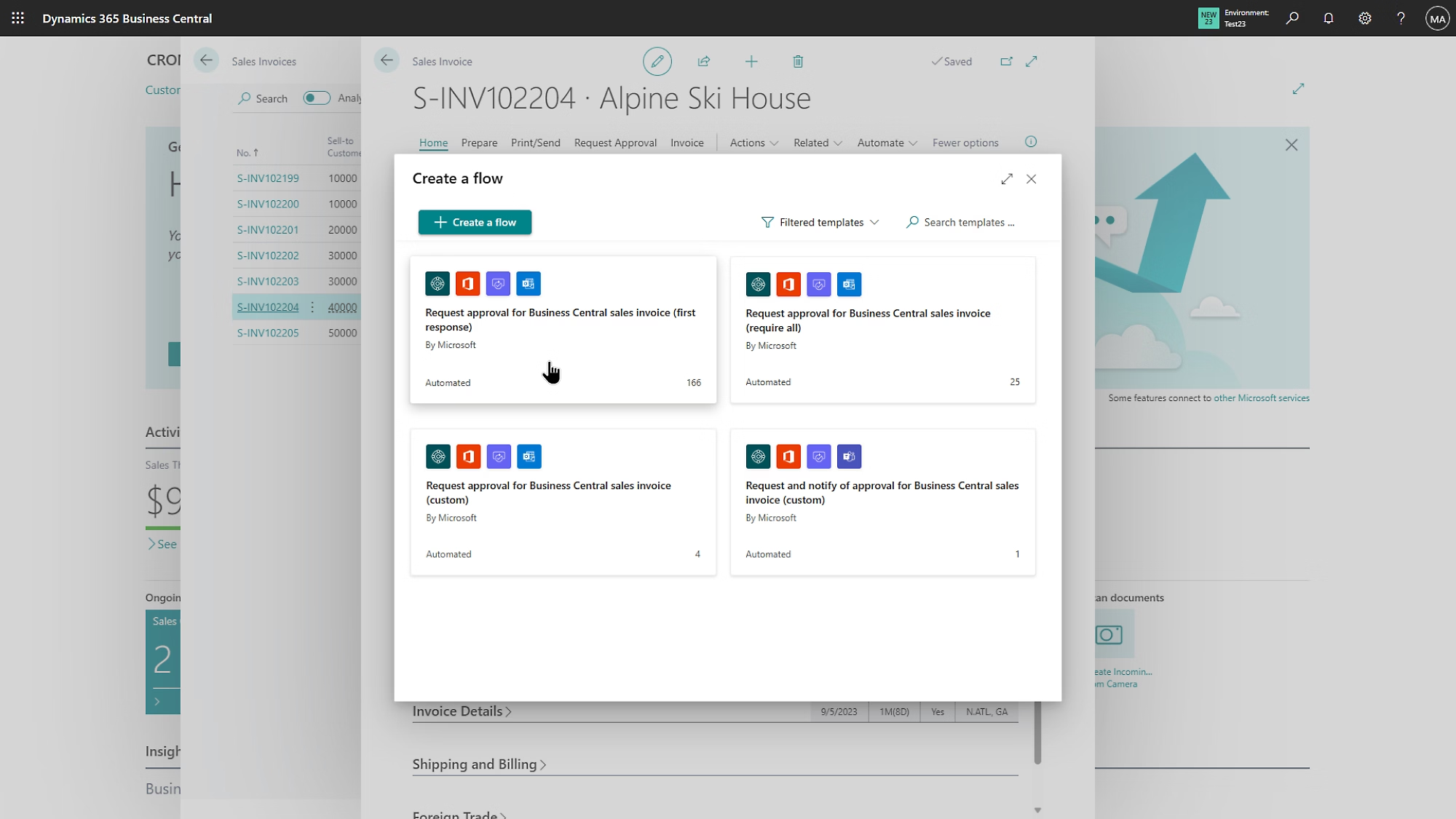
Business Central Role Centre IMAGE · BC INTERFACE
Business Central Role Centre IMAGE · F&O INTERFACE
Company sizeRoughly 10–300 users. Small and mid-sized organisations.
ManufacturingSolid discrete manufacturing on the Premium licence.
Go liveTypically 3–6 months for a focused first phase.
CostMaterially lower on both licence and implementation.
Our default. Start here unless there's a clear reason not to — most mid-market companies never outgrow it.
Company sizeSeveral hundred to thousands of users. Large enterprise.
ManufacturingProcess manufacturing, advanced planning, heavy shop-floor.
Go liveTypically 9–18 months, longer for global rollouts.
CostSignificantly higher — justified at scale, not below it.
Move up when scale, entity complexity or manufacturing depth genuinely demands it. See the F&O page →
Connected

It works with what you already run.

The point isn't to replace every system — it's to stop them being islands.

Outlook & Excel

Turn an email into a quote. Edit lists in Excel and publish back with validation intact.

Power Platform

Embedded automation for approvals, Power Apps for bespoke, Power BI for deeper reporting.

E-commerce

Certified Shopify connector syncing orders, stock and customers both ways.

Your existing systems

Open APIs mean payroll, banking and logistics tools exchange data properly.

Marketplace apps

Industry and country extensions — often cheaper and safer than building it yourself.

Copilot included

Drafts item text, suggests sales lines, assists reconciliation — in your licence, not extra.
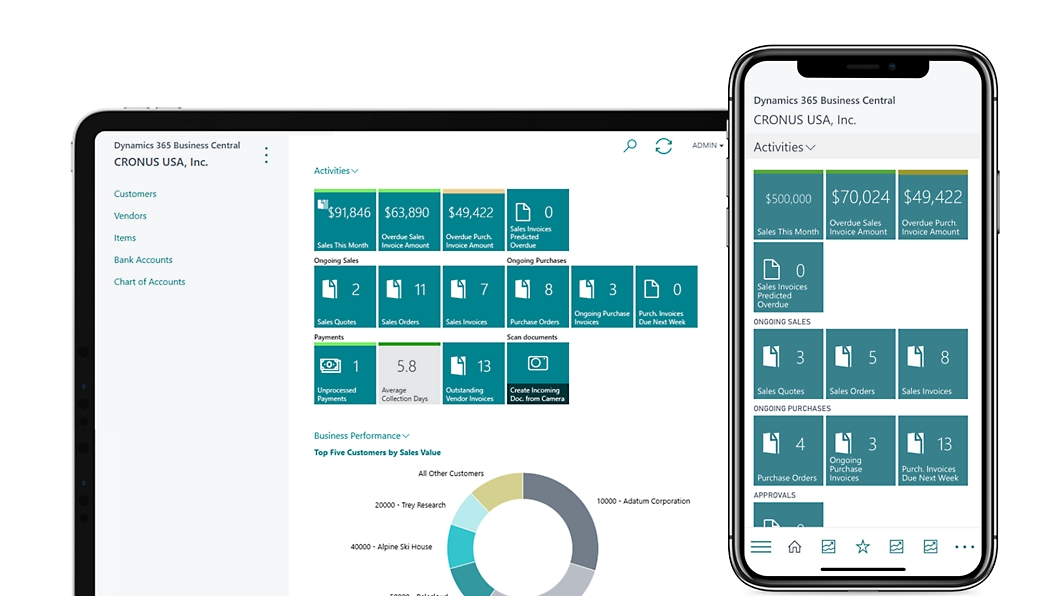
Business Central Role Centre IMAGE

What replacing five systems with one actually changes.

6 → 1SYSTEMS TO MAINTAIN
4 moTO FIRST GO-LIVE
0RE-KEYING BETWEEN APPS
What We Do

Where Sharpsys comes in.

BC is sold only through Microsoft partners — so the partner you pick decides whether it works.

01

New implementations

A first phase scoped tightly enough to actually go live.

02

NAV upgrades

Off on-prem NAV without carrying a decade of workarounds.

03

Accounting migration

From Tally, QuickBooks or Sage — with balances reconciled.

04

Support & AL

Release wave testing, extensions, L1–L3 support.

How We Deliver

Live in months, phased after that.

WEEKS 1–3

Discover & scope

Process walkthroughs, fit-gap against standard, and an agreed line on what makes phase one.

WEEKS 4–12

Configure & migrate

Chart of accounts, dimensions, master data cleansing. Extensions only where standard can't reach.

WEEKS 12–18

Test & train

A pilot with your real transactions, UAT by the people who'll live with it, role-based training.

WEEK 18 →

Go live & extend

Rehearsed cutover, hypercare through the first close, then the next phase.

Why the partner matters more here

Microsoft doesn't sell Business Central directly. Your partner makes every decision that shapes the system — chart of accounts, dimensions, and how much technical debt you inherit. We'd rather talk you out of customisations than bill for them.

Next Step

Show us the spreadsheet your accounting system can't handle.

A working session with a BC consultant — what standard covers, what needs building, and an honest view of cost.